 Vencito
For iPhone and iPad
Nothing in your pantry goes to waste.
Snap a photo of the package and Vencito reads the expiration date. It reminds you before it expires and shows you what to use first.
Coming soon to the App Store · Free · iOS and iPadOS 17 or later
How it works
From the store shelf to your fridge, in three steps
Snap a photo
Of the package, with the date in view. Or point the camera live: it reads the barcode and the date at once. You can add more photos: product, barcode and expiry date.
Vencito fills in the rest
It reads the date, suggests a name and category, and looks the barcode up on Open Food Facts and its cosmetics and other-products databases. You review and save.
Get reminded in time
One notification a day, at the hour you choose, with what is about to expire: by default 30, 15, 7, 3 and 1 day before.
Try it here
Type what the package says
This is a simplified version of the app’s date reader. It understands the formats printed on packages and prefers the expiration date over the manufacturing date.
Expiration date
—
—Features
Made for the pantry, the fridge and the medicine cabinet
AI recognition
On iPhones with Apple Intelligence, Apple’s model looks at the photo and fills in name, category and expiration date. It runs on the iPhone, offline. AI recipe ideas are optional (beta) and off by default: turn them on in Settings.
Date reader
EXP 14/02/27, 25-08-2026, 25 AUG 2026, 08/2027, EXP 04/27… It tells expiration from manufacturing dates and reads packages in six languages.
Barcodes
Live scanning or from the photo, with EAN, UPC and QR codes. Open Food Facts (and its cosmetics and other-products databases, such as over-the-counter medicines) fills in name, brand and category.
What should I cook today?
Recipes from what you have, starting with what expires soon. Its own catalog of over 600 common, easy dishes from several countries, with photos and in your language, for breakfast, snacks, lunch and dinner, with a cooking mode and saved recipes. It works offline.
Several homes
Keep the products of more than one home and pick which one to see, or see them all together. Reminders and the widget combine the expiry dates of every home.
Shopping list
Write down what you need to buy, add what a recipe is missing with one tap, or let it add what you run out of. Tick what you bought and share the list as text.
Add many in a row
Continuous scanning: barcode, date, done. If a date isn’t read with confidence, the app asks you to confirm it before saving.
No expiration date
For things that don’t expire or have no date: saved on their own, without reminders.
Live scan
In a single frame it reads the barcode, the expiration date and the product name. Each value is only confirmed once it repeats, to avoid blurry misreads.
Multiple photos per product
Keep a photo of the product, one of the barcode, one of the expiry date and as many as you like. They show up in a swipeable gallery.
Widgets
On the Home Screen and Lock Screen, with what expires next. Tap a product to open it in the app.
Status at a glance
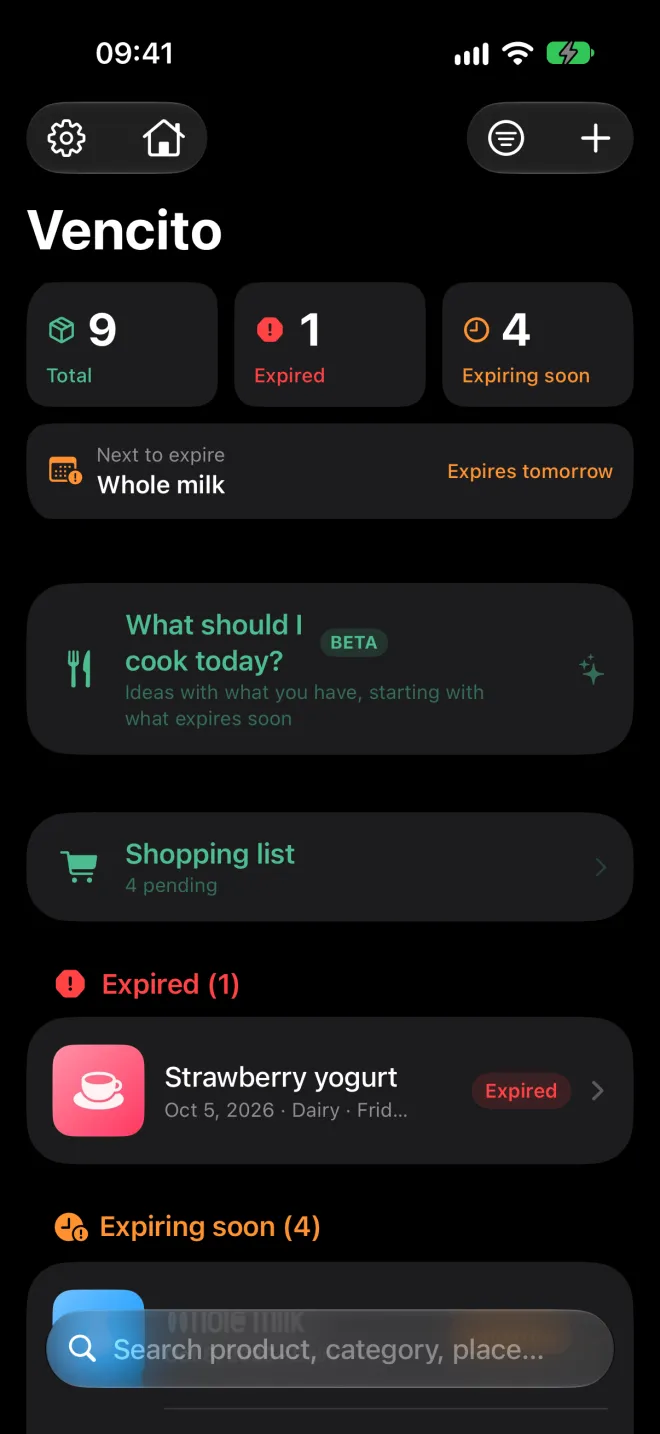
Expired, expiring soon and upcoming, with a summary on top and a thumbnail for every product.
Swipe to consume
One swipe takes off a unit or removes the product. Made a mistake? Shake to undo.
iPad
List and detail side by side, in any orientation and with multitasking. With a keyboard, ⌘N adds a product.
Six languages
Spanish, English, Portuguese (Brazil), French, Italian and German. Switch instantly in Settings.
Accessible
Works with VoiceOver and large text sizes. Each product is read in full: name, status and date.
Video
Vencito in 30 seconds
Everything at a glance, live scanning of the barcode and the date, and recipes with what you have.
The scanning in the video is an illustrative simulation.
Screenshots
A closer look
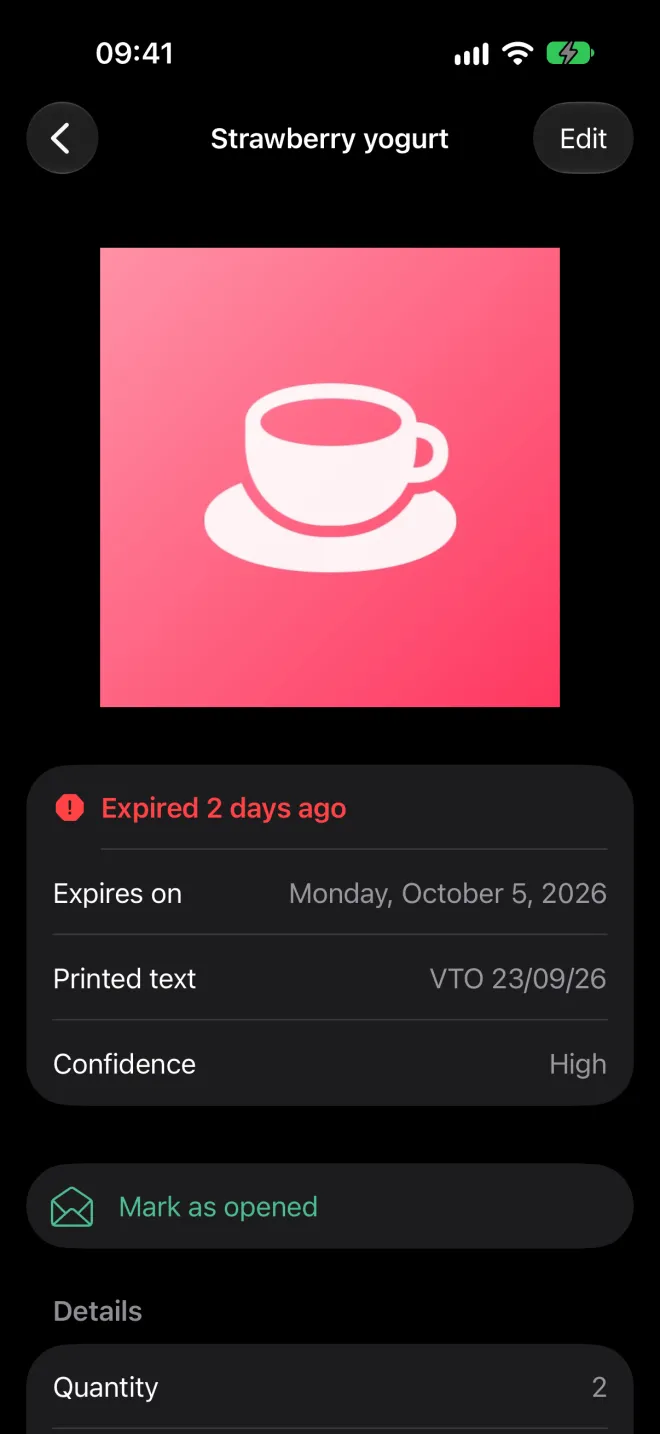
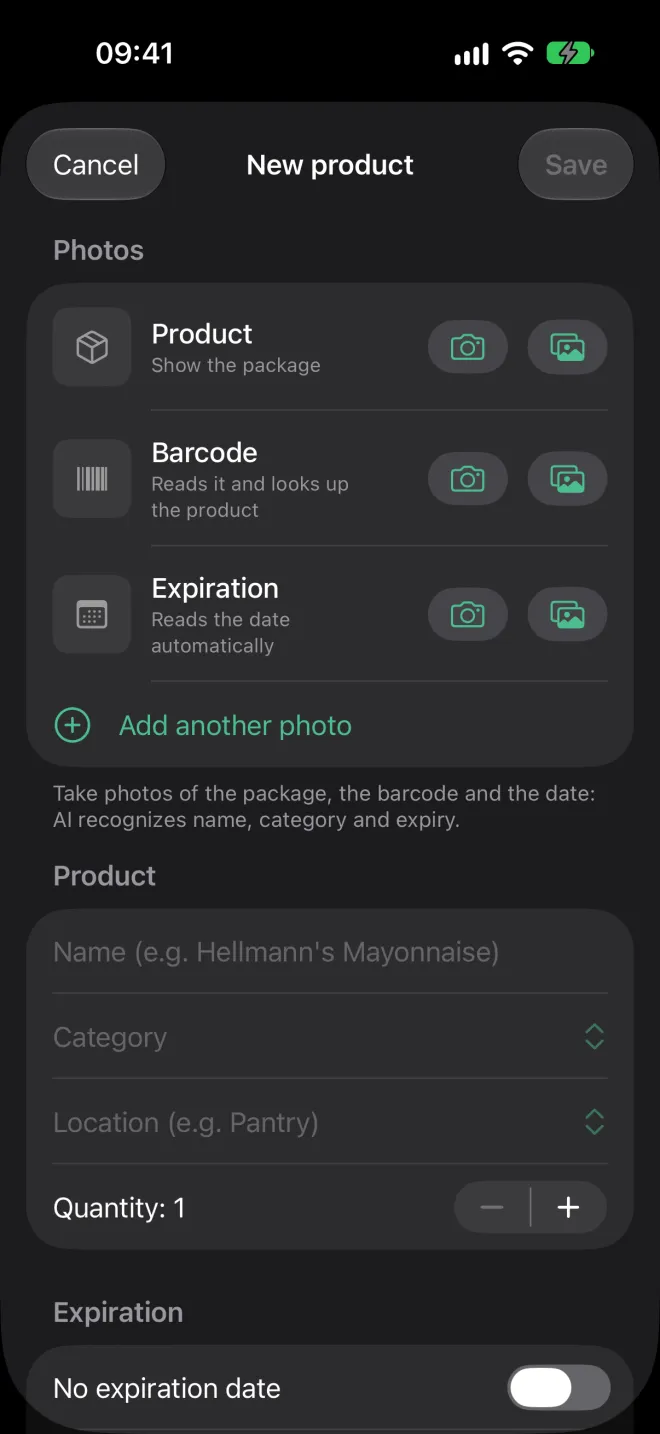
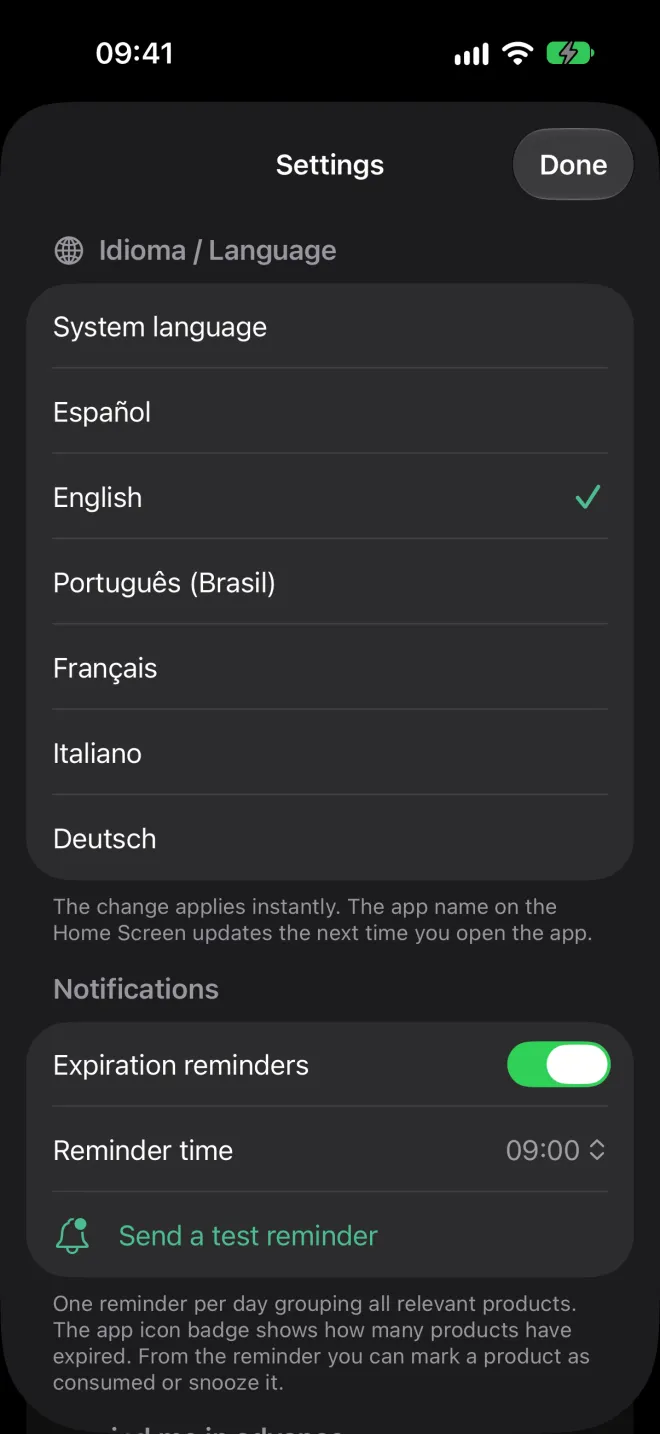
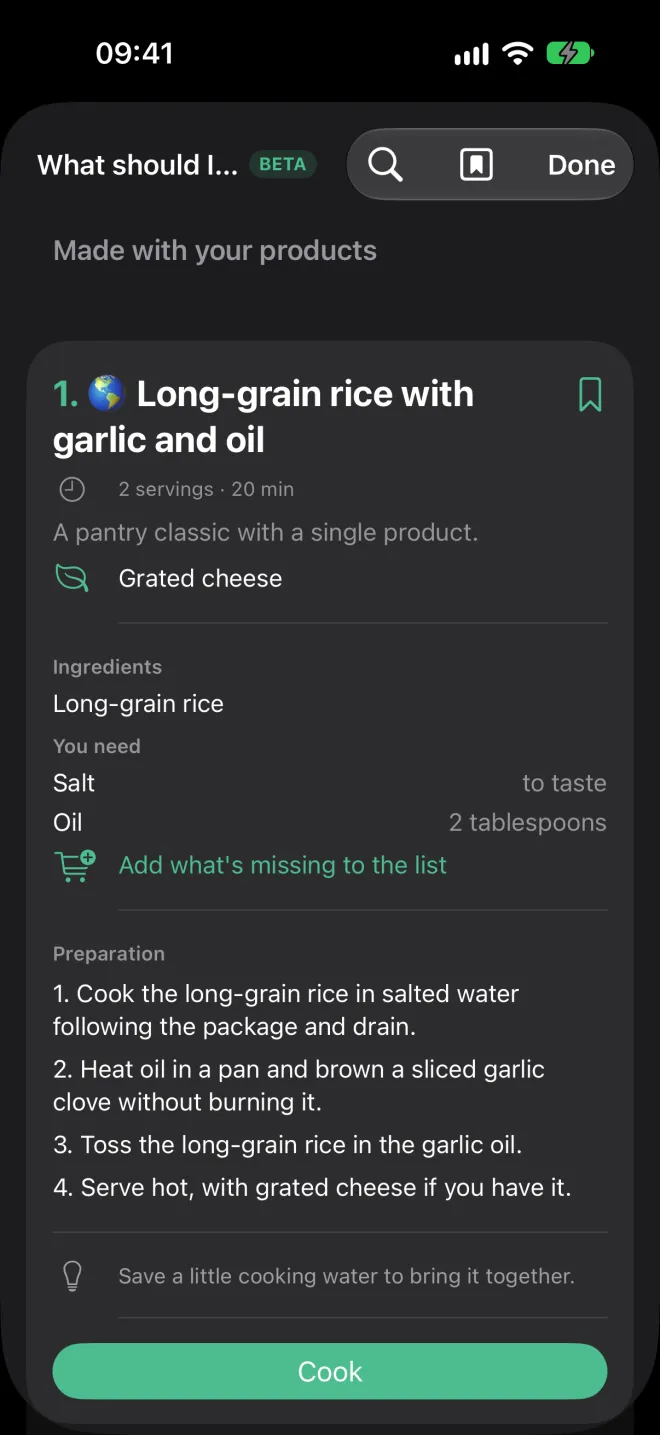
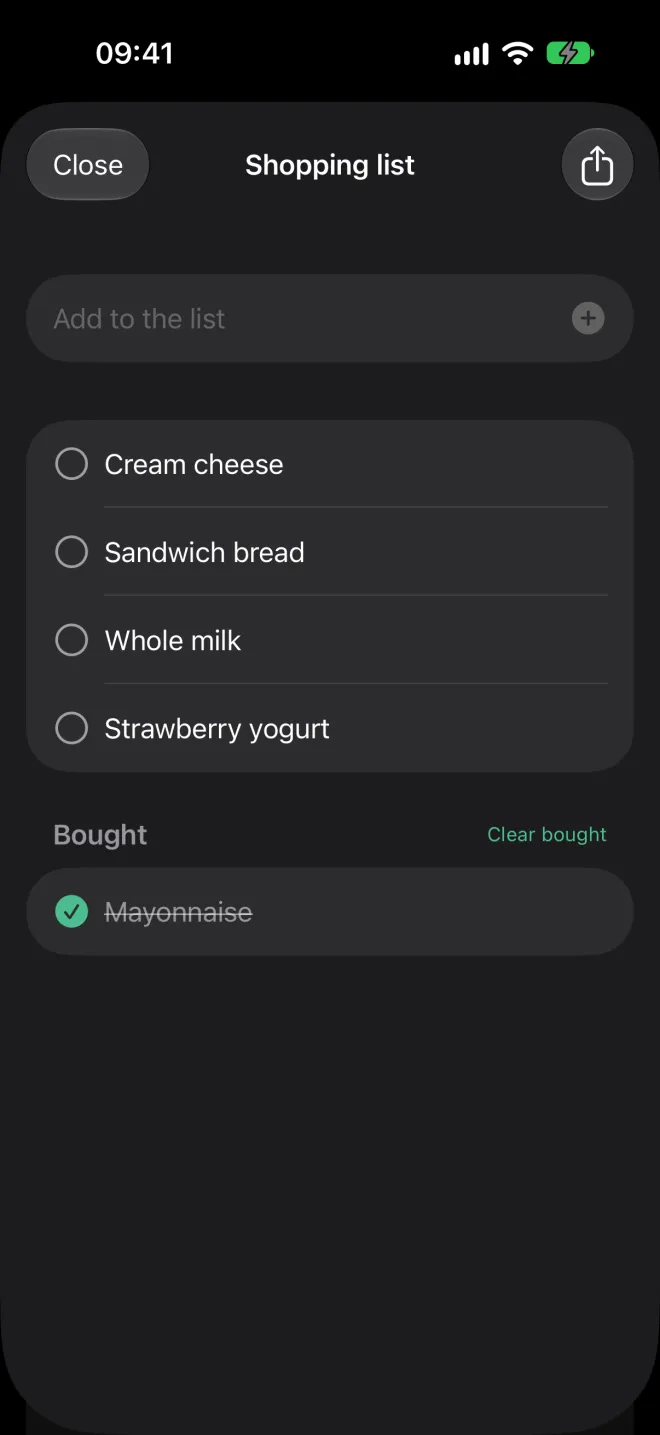
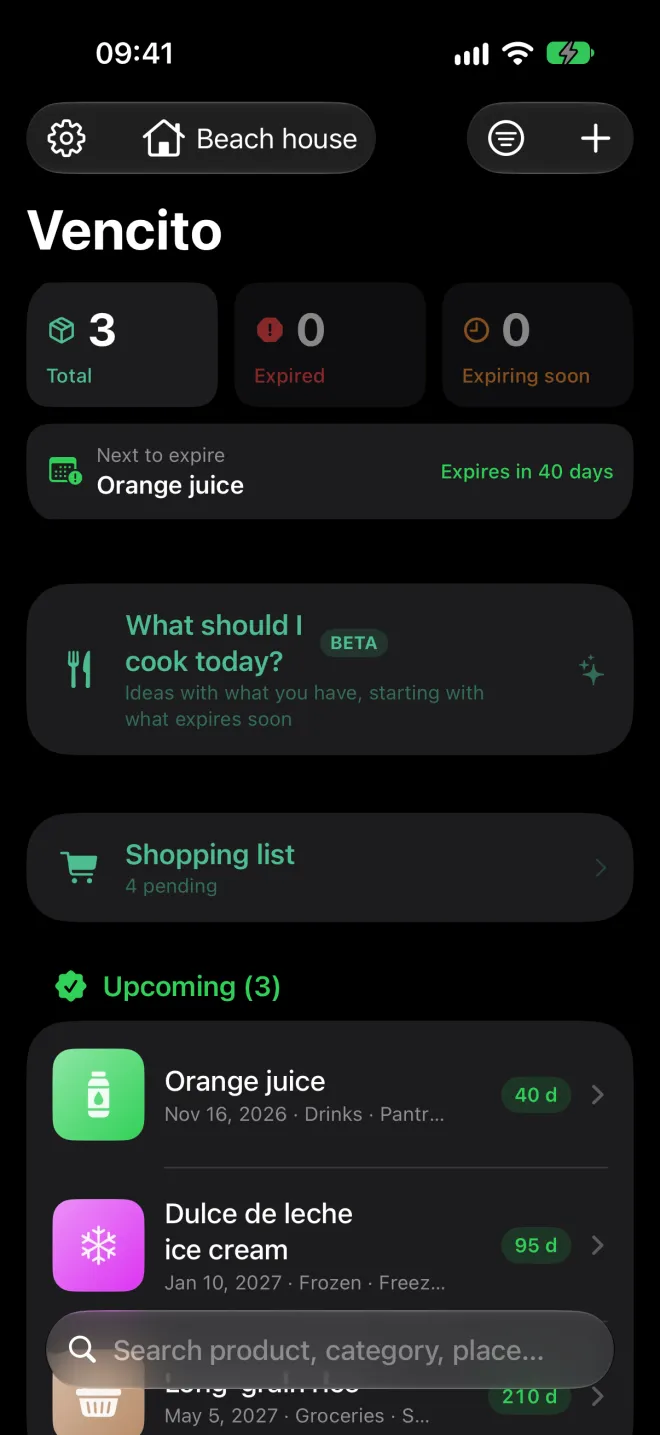
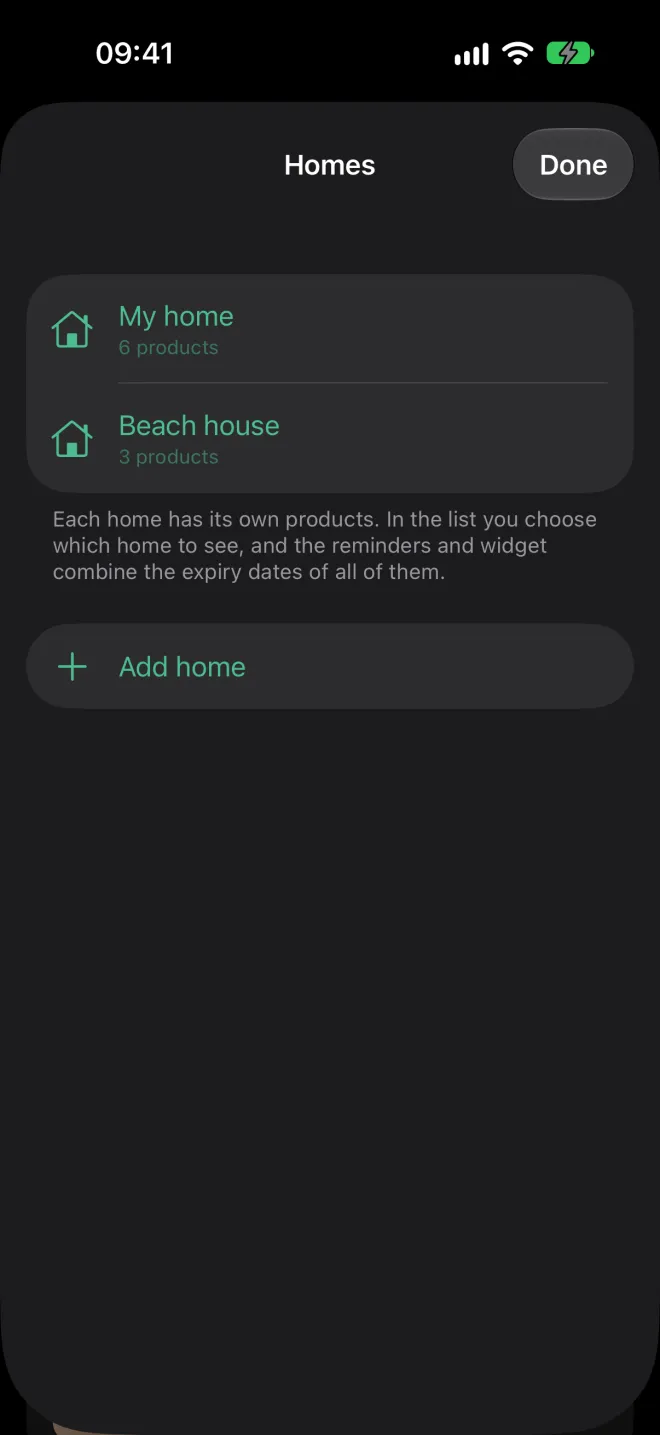
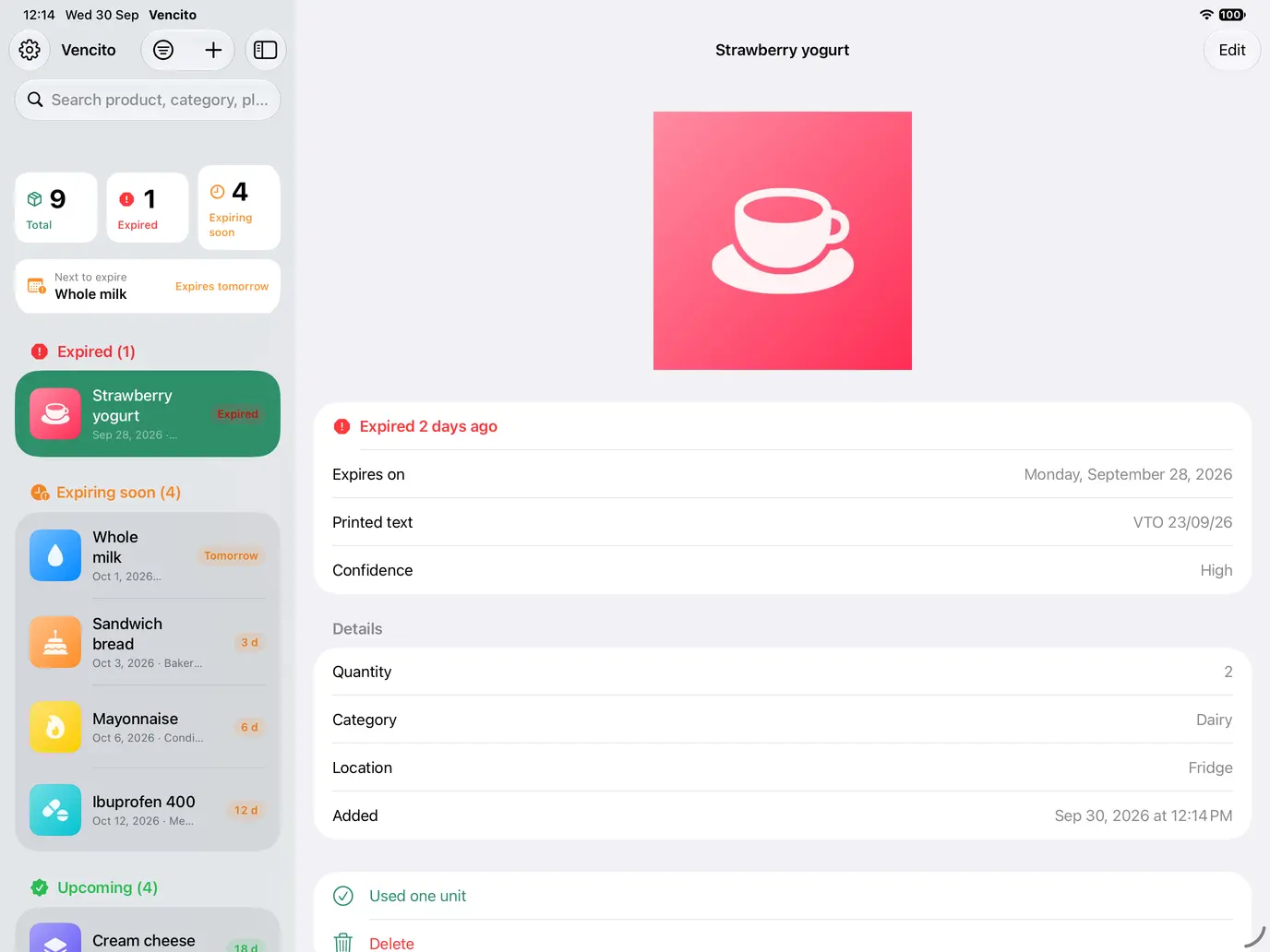
On iPad, list and detail sit side by side.
Privacy
Your data stays on your iPhone
Vencito has no accounts, no servers of its own, no analytics and no ads.
All on-device
Products, photos and settings are stored on your iPhone or iPad. If you turn on iCloud sync, also in your private iCloud (the developer has no access).
AI without the cloud
Text, barcodes and Apple Intelligence recognition are processed on the device.
One optional piece of data leaves
To look up a product, only the barcode number is sent to Open Food Facts and its sister databases. You can turn it off.
Local reminders
Notifications are scheduled by the iPhone itself. They never go through a server.
FAQ
Common questions
How much does it cost?
It’s free, with nothing locked. If you find it useful, you can buy me a coffee with an optional tip in Settings.
Do I need an iPhone with Apple Intelligence?
No. Without it, the app reads the date and name with Apple’s text recognition. AI adds the category and reads tricky packages better.
Does it work offline?
Yes. Only the barcode product lookup needs the internet.
Can I move my data to another phone?
Yes. In Settings you can export a file with all your products (with or without photos) and import it on another device.
What if the date shows only month and year?
The app uses the last day of that month, which is how packages are meant to be read. It understands both 08/2027 and EXP 04/27.
Can I keep more than one photo per product?
Yes. Besides the main photo you can add one of the barcode, one of the expiry date and up to 8 more. Swipe through them on the detail screen; they are included when you export.
Another question or a problem? Contact support.